
What's New in v2.2
New Features
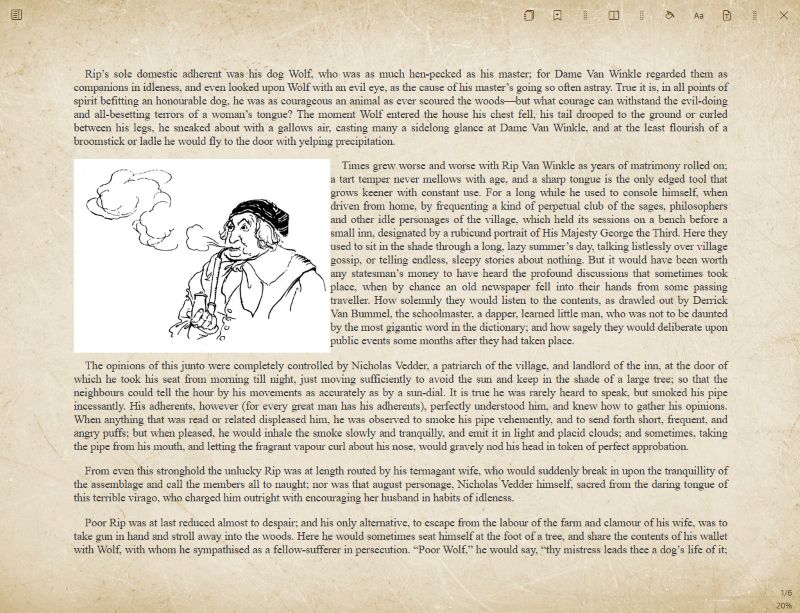
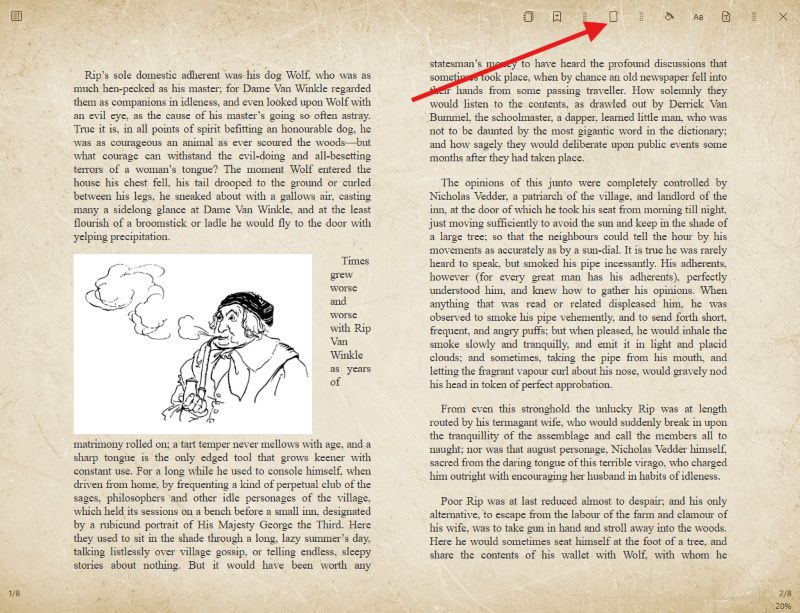
Flexible Page Layout
Choose between single-page and two-page reading views in both the ePub and PDF reader. Whether you prefer a focused single-column experience or a spread that mimics a physical book, Bookerei adapts to your style.
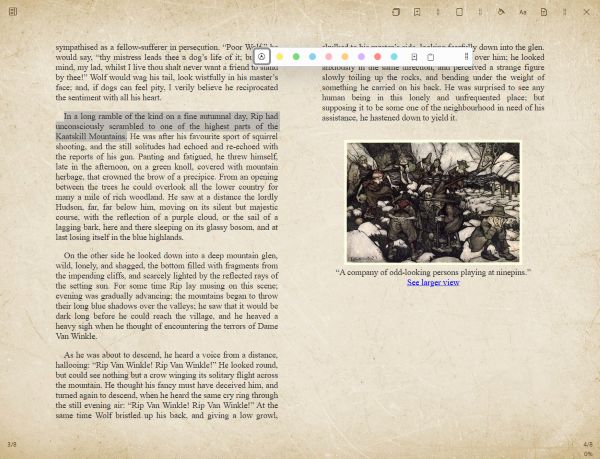
Text Highlighting in Multiple Colors
Bring your annotations to life! The ePub reader now lets you highlight text in different colors, making it easy to organize important passages, key quotes, or anything that catches your eye.
Always-Visible Edit Pencil
The edit pencil icon is now always shown next to the author name, making it quicker and easier to update author details without hunting for the control.
Bug Fixes
Bookmarks & Notes Panel
Fixed an issue where bookmarks and notes appeared empty when the panel was opened directly from the reader. Your annotations are now always loaded correctly.
Save Author on ENTER
Pressing ENTER in the author name field now correctly saves the value, so you no longer need to click away to confirm your changes.
Improved Search
Search now delivers more accurate results. When no matches are found, the search term is clearly displayed in the results area so you always know what was searched.
Multi-Select Improvements
Various stability and usability improvements have been made to multi-select, resulting in a smoother and more reliable selection experience.